GHOSTVPS / Security
Your first hour on a Linux VPS: a safe setup checklist
Verify the delivered Linux server, plan updates, secure access without lockout, and confirm a recoverable backup.
Updated · GhostVPS
Before you start
A Linux VPS you administer, its current login details and a second terminal window. This guide uses Ubuntu-style commands where stated; other distributions need their own package and firewall tools. Take a backup or snapshot if your service offers one before major changes.
Confirm the server and resources
Use the IP and username shown for your own service. Check the OS, disk and memory before changing anything; compare them with the plan you ordered. If resources do not match, save the output and open a support ticket rather than changing partitions or reinstalling.
Your VPS · Linux terminal
cat /etc/os-release
free -h
df -h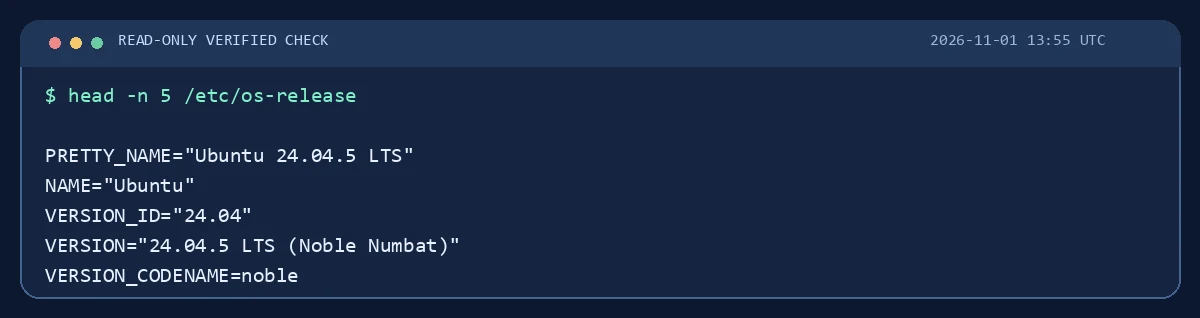
Apply supported updates deliberately
On Ubuntu, refresh package metadata and review pending upgrades. Schedule the actual upgrade during a suitable maintenance window, particularly if a reboot or application restart could interrupt users. Run the upgrade only after reviewing its package list and having a recovery path. Verify unattended security update settings separately; their presence varies by image.
Your VPS · Linux terminal
sudo apt update
apt list --upgradable
sudo apt upgradeKeep a working recovery path while securing SSH
Before changing authentication, create or verify a separate administrative account and SSH key. Test the new login in a second terminal while the original session remains open. The existing Secure SSH guide covers the exact sequence; never disable password or root login until the replacement works.

Review listening ports and the firewall
List listening services and current firewall rules. Decide which ports your application needs; allow your actual SSH port before enabling a firewall. If you are unsure which firewall or cloud network controls apply, stop here and ask support.
Your VPS · Linux terminal
sudo ss -tulpen
sudo ufw status verboseVerify backup and document the baseline
Record the OS version, plan, public IP, enabled services and update date in your own secure notes. Back up application files and databases to a separate location, then restore one disposable file to prove the path works. Link this checklist to the SSH and Storage Box tutorials rather than assuming a snapshot is a backup.