Is open SMTP port 25 enough? Mail VPS deliverability checklist
Port 25 is only the starting point. Check PTR, SPF, DKIM, DMARC, reputation and real delivery results before scaling email sending.
Updated

An open outbound SMTP port lets a mail server attempt a connection. It does not make recipients accept the message or place it in the inbox. Before choosing a Mail VPS, plan DNS authentication, reverse DNS, software configuration, sending practices and monitoring together.
What port 25 actually solves
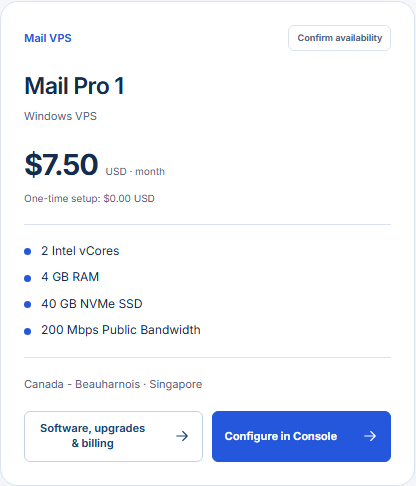
Port 25 is commonly used for server-to-server SMTP delivery. GhostVPS Mail VPS plans are offered with port 25 open, subject to the selected service and acceptable-use conditions. This is different from a user’s authenticated submission on ports such as 587 or 465. An open port says nothing by itself about your domain’s DNS records, the server’s sending identity, message quality or IP reputation.
Four identity checks to prepare
| Record or mechanism | Purpose | What you should verify |
|---|---|---|
| PTR / reverse DNS | Maps the sending IP back to a hostname | Provider supports setting it; hostname resolves forward to the sending IP |
| SPF | Authorizes permitted sending sources for the envelope domain | Your actual sending IP or relay is included; avoid duplicate SPF records |
| DKIM | Signs mail so receivers can verify domain authorization and integrity | Signing is enabled and the matching public DNS key is published |
| DMARC | Checks alignment with the visible From domain and publishes policy | SPF or DKIM passes with alignment; reports are reviewed before tightening policy |
For example, if the server sends as mail.example.com, check that the selected IP has a PTR to that hostname and that the hostname resolves back to the IP. Publish SPF, DKIM and DMARC for the sending domain following your mail software’s instructions. Microsoft’s authentication overview explains how the mechanisms interact; the Gmail sender guidelines describe recipient-side expectations, including forward and reverse DNS and TLS.
Test a real message end to end
Send a small authorized test message to mailboxes at more than one receiver. Inspect the message headers for SPF, DKIM and DMARC results, then inspect your server logs for delivery or rejection codes. A message accepted by an SMTP server may still land in spam, so check the recipient mailbox too. Record the sending IP, From domain, date, result and any rejection response. Fix authentication or a specific error before increasing volume.
Do not use purchased address lists or assume that a new IP has a good sending reputation. Keep bounces and complaints low, send only to recipients who expect the mail, and increase volume gradually. These practices matter even with correct DNS. For bulk or promotional traffic, review the latest recipient requirements and applicable consent rules before sending.
Choose the server after the mail plan
Shortlist a Mail VPS by location, OS, RAM and disk for your chosen mail stack. Confirm PTR control, port 25 terms, IPv4/IPv6 behavior, current price and any setup fee for the exact plan in the Mail VPS category in Console. If your need is only a hosted mailbox rather than operating an SMTP server, compare Professional Email instead. That choice removes much of the server administration work.