How to test an AI model on a GPU server: a repeatable checklist
Choose a public model, record the exact GPU and runtime, make a private test request, and measure VRAM, latency and actual usage without invented benchmarks.
Updated

Before choosing a larger GPU for an AI project, run one small, repeatable test. This guide shows what to record when serving an open model on a Linux GPU server: model revision, runtime, GPU, prompt, context, memory, response time and cost. It is a test procedure, not a GhostVPS performance benchmark. We have not measured this model on a paid GhostVPS GPU instance for this article, so no throughput or VRAM result is invented.
1. Choose one public model and freeze the test case
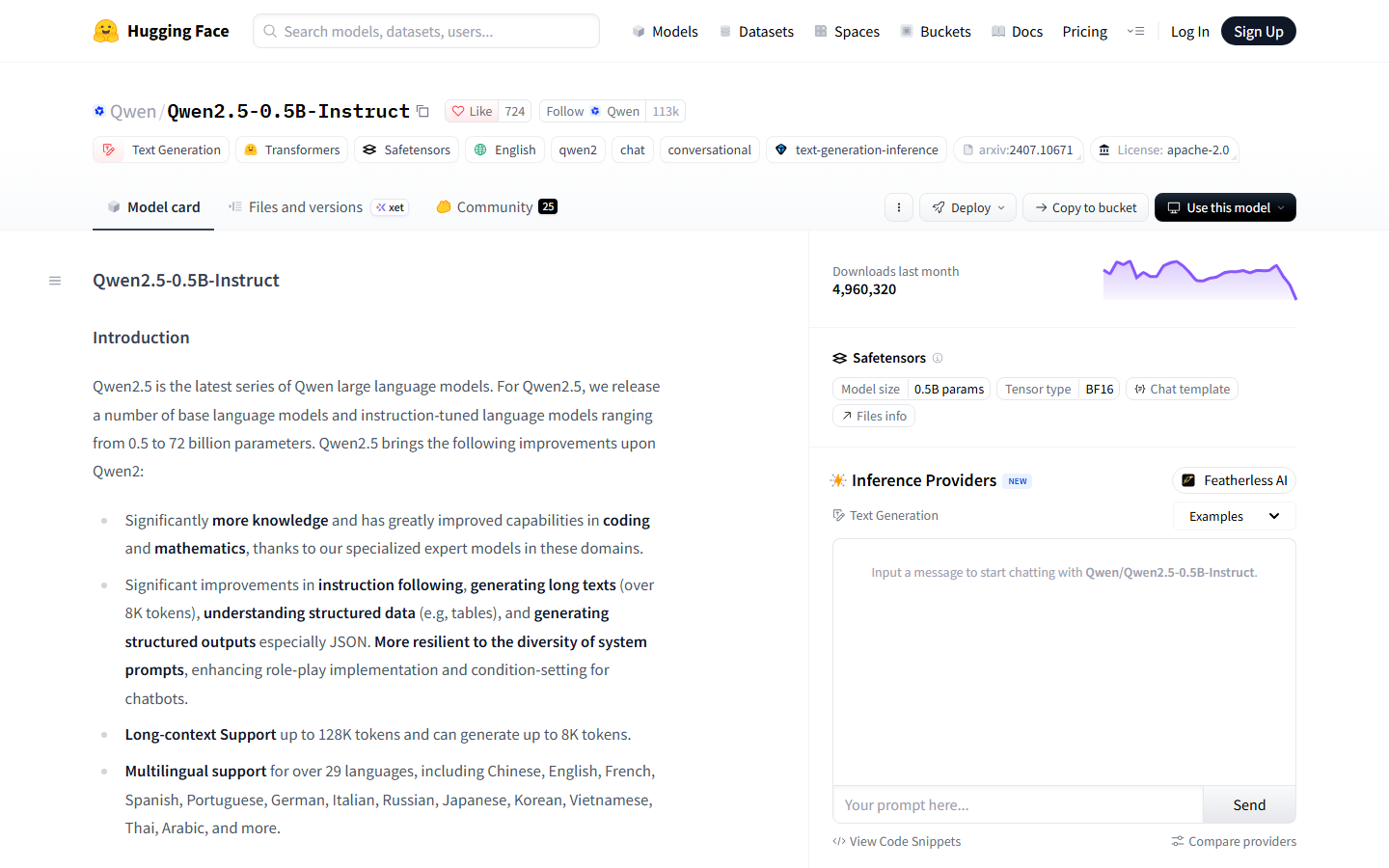
For a first smoke test, use the public Qwen2.5-0.5B-Instruct model card as an example. Check its current license, revision and supported usage on the model page before downloading it. A small model is useful for validating the installation and request path; it is not evidence that your production workload will fit the same GPU. For a serious decision, replace it with the exact model and settings you intend to deploy.
Write down a representative prompt, expected type of answer, input length, maximum output tokens and number of simultaneous users. Do not select a GPU solely from parameter count: runtime memory also depends on precision, context length, cache and concurrency. Our VRAM sizing guide explains what to measure.
2. Select a reproducible GPU configuration
In GPU Cloud, record the model of GPU, GPU count, advertised VRAM, location, storage selection and current quote. Choose a single-GPU configuration for the first smoke test unless your software and model actually require multi-GPU serving. The specific configuration must still be available when you open Console. Keep enough persistent space for the model files and logs if you need them after a restart; do not assume temporary container storage will survive.
3. Verify the environment before installing a runtime
Once you have an authorized Linux GPU instance, note the template, OS, Python version and driver. Run nvidia-smi before loading a model to record the GPU name, total memory and already-used memory. The NVIDIA utility reference explains the reported fields. Avoid putting API credentials or private prompts into screenshots or a public article.
date -u
python3 --version
nvidia-smi --query-gpu=name,memory.total,memory.used,utilization.gpu --format=csv
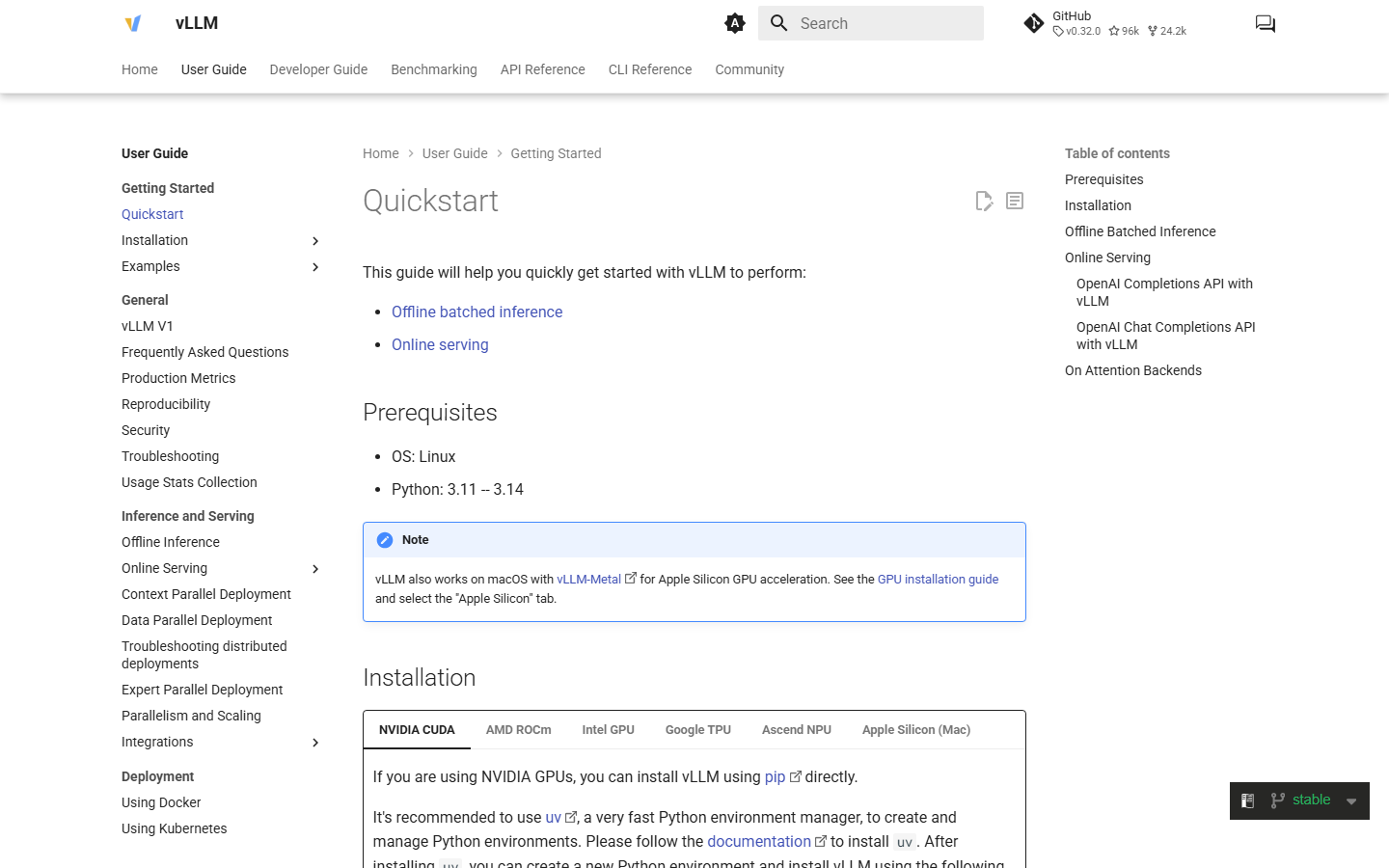
For a vLLM example, follow its stable quickstart and GPU installation guide for the Python and CUDA combination on your chosen instance. Use a fresh virtual environment and install a compatible release; do not blindly replace packages in a preconfigured image. The upstream instructions can change, so check them at the time of deployment.
4. Serve the model privately and send one request
After installation succeeds, start the runtime on the server’s loopback interface so the test API is not exposed publicly. The command below shows the shape of the test; adjust model revision and runtime options for the version you installed. If it fails to load, record the error rather than assuming the GPU is too small.
vllm serve Qwen/Qwen2.5-0.5B-Instruct \
  --host 127.0.0.1 --port 8000 --max-model-len 2048
From another shell on that same server, make one controlled request. Keep the prompt and generation settings unchanged for later runs:
curl -sS http://127.0.0.1:8000/v1/chat/completions \
  -H 'Content-Type: application/json' \
  -d '{"model":"Qwen/Qwen2.5-0.5B-Instruct","messages":[{"role":"user","content":"Explain in three steps how to back up a small website."}],"max_tokens":80,"temperature":0}'
Check that the response is complete and relevant before timing it. vLLM’s online serving documentation describes this API. Loopback binding limits who can connect; review authentication and network controls before any production deployment.
5. Measure the workload you actually need
Run a warm-up request, then repeat the same prompt and settings several times. Record end-to-end response times, errors and the observed peak GPU memory during the run. Monitor with nvidia-smi in a separate shell; its memory and utilization samples are useful signals, but one sample can miss a short peak. Try the expected context length and concurrency in a separate round after the single-request test succeeds. If you change the GPU, runtime, quantization or model revision, label it as a new experiment.
| Record | Example field | Why it matters |
|---|---|---|
| Model | Repository and revision | Prevents comparing different weights |
| Runtime | vLLM version, Python and driver | Software changes can alter compatibility and speed |
| GPU | Exact model and count | “GPU VPS” is not one hardware configuration |
| Request | Prompt, context, output limit, concurrency | Tiny prompts can hide production memory needs |
| Result | Response quality, latency, peak VRAM, failures | Shows whether the configuration is usable |
| Usage | Start/stop time and Console charge | Connects performance to actual project cost |
If the runtime reports out-of-memory, first confirm that another process is not using the GPU. Then reduce context, batch or concurrency, or test an appropriate quantized model. Re-run the same workload before choosing a larger GPU. A model that barely fits one prompt may fail when two users submit requests together.
6. Finish the experiment without losing results or accumulating charges
Save the test record and any outputs you need to persistent storage or an independent backup. Check which storage remains after stopping or reinstalling. Then stop or delete unused resources according to the controls and terms shown in Console; persistent storage may remain billable while compute is off. Use the companion hourly GPU cost guide to turn the measured runtime into a project estimate.
What this article verifies: the public model card, GhostVPS GPU catalog and upstream vLLM procedure. What it does not claim: a completed paid GPU run, a measured GhostVPS benchmark, or a guaranteed cost or capacity for a specific plan.
Reviewed 1 November 2026. Public-source screenshots are dated; check the current model, runtime and Console configuration before a new run.