Residential, mobile or datacenter proxy: how to choose
Compare proxy IP sources, session behavior, traffic pricing, protocols and destination restrictions before choosing a package.
Updated
Residential, mobile and datacenter proxies differ mainly in the source of their exit IP, available session controls and price structure. A proxy does not guarantee access to a particular site. Choose one by the destination’s permitted use, the IP source your application requires, expected traffic and the exact package controls.
The three IP sources in plain language
| Type | IP source | Typical question to ask |
|---|---|---|
| Datacenter | Server-based network | Does the destination accept datacenter traffic for this authorized workflow? |
| Residential | Household connection network | Which locations, targeting levels and session types does this package include? |
| Mobile | Mobile-carrier network | Do I need a carrier IP, and what is the real traffic allowance? |
These are categories, not a ranking of “best” proxies. A residential or mobile IP can still be blocked, challenged or unsuitable for a particular destination. The destination’s own rules and your authorization matter regardless of proxy type.
Choose rotation and session behavior deliberately
A rotating proxy may present different exit IPs across requests. A sticky session attempts to keep an exit IP for a period or session, subject to the package’s rules and availability. If your application needs a login session to remain stable, check sticky-session support and lifetime before buying. If it processes independent, permitted requests, rotation might be appropriate. Test a small authorized workflow to confirm behavior; do not assume “sticky” means permanent.
Estimate traffic-based cost before a large run
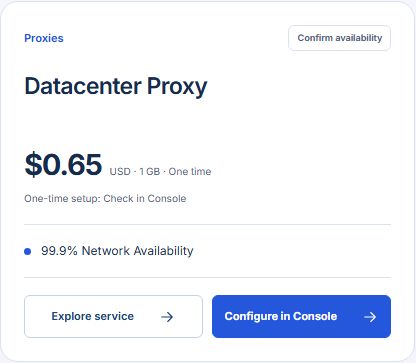
The GhostVPS proxy catalog lists traffic-based packages. Record the quoted unit, included data, protocol, location targeting, concurrency limits and any extra targeting charge. Estimate traffic by running a small representative sample and counting actual transferred bytes; the HTML page size alone often misses images, APIs and retries. Then multiply by the planned request volume and leave room for variance. Review the final total in Console.
Check destination and protocol restrictions
The currently listed GhostVPS proxy products restrict banking and financial websites. Other destinations can impose their own blocks or usage terms, so access is never guaranteed. Confirm your destination and lawful use before ordering. Current packages list HTTP and SOCKS5 support; use the endpoint and credentials provided for the selected service. Avoid sending sensitive credentials through an untrusted client configuration, and do not publish proxy authentication details in logs or screenshots.
A short selection workflow
- Describe the permitted destination, required country and protocol.
- Choose the lowest-cost IP category that actually fits the requirement.
- Check whether your workflow needs a stable session or rotating IPs.
- Estimate data consumption from a small representative run.
- Verify package availability, restrictions and final charge in Console.
If a specific site is essential, ask support about the published restrictions before paying. For detailed residential targeting options, continue to the premium residential proxy page; do not assume those options are included in the basic package.