Before you order a VPS: CPU, RAM, disk and location checklist
Choose a VPS using measured workload needs, CPU type, RAM, disk, location and the final configured total. A practical checklist with real GhostVPS screenshots.
Updated

A VPS decision starts with the work you plan to run, not the largest number on a plan card. Write down the application, expected users, operating system, data size and budget first. Then use the same checklist for every candidate plan. This guide explains what to compare and where to verify the final configuration before ordering.
1. Describe the workload before choosing a plan
A small website, a database, a Windows desktop and a development environment stress a server in different ways. Note whether the workload runs continuously, has short peaks, needs a graphical desktop, or stores data that must survive reinstallations. If you already run it somewhere, record its memory use and CPU peaks during a normal day and a busy period. If it is new, choose a reversible starting point and measure before scaling.
The GhostVPS server finder lets you enter the workload, operating system, region, minimum RAM and budget to build a shortlist from current plans. Its resource suggestions are planning estimates; your own measurements should override them.

2. Compare CPU and RAM as separate constraints
More vCPUs can help work that runs in parallel, but a vCPU count alone is not a cross-provider performance benchmark. Check whether the plan describes shared, enhanced or dedicated CPU resources, and test the software that matters to you. For a single busy process, look at its actual response time rather than assuming that twice as many vCPUs will halve the wait.
RAM matters when the operating system, application and database run together. If memory is exhausted, swapping or process termination can make an otherwise fast CPU feel slow. Add the measured peak use of each component, leave room for updates and temporary spikes, and review the plan again after launch. Do not treat an unmeasured “minimum RAM†as a performance guarantee.
3. Separate disk capacity, disk performance and backups
Ask three different questions: how many gigabytes do you need now, how quickly will the data grow, and how much random disk activity does the application generate? An SSD or NVMe label does not by itself establish sustained I/O performance. If disk speed is important, test representative reads and writes on the intended plan and location. Keep sufficient free capacity for the operating system, logs, updates and temporary files.
A snapshot is useful for a point-in-time rollback, but it does not replace an independent backup and a tested restore. If the server stores valuable data, decide where the second copy lives before the first deployment. Review the Storage Box options and the existing backup tutorials rather than assuming a plan includes automatic backups.
4. Choose a location for the people and systems that use it
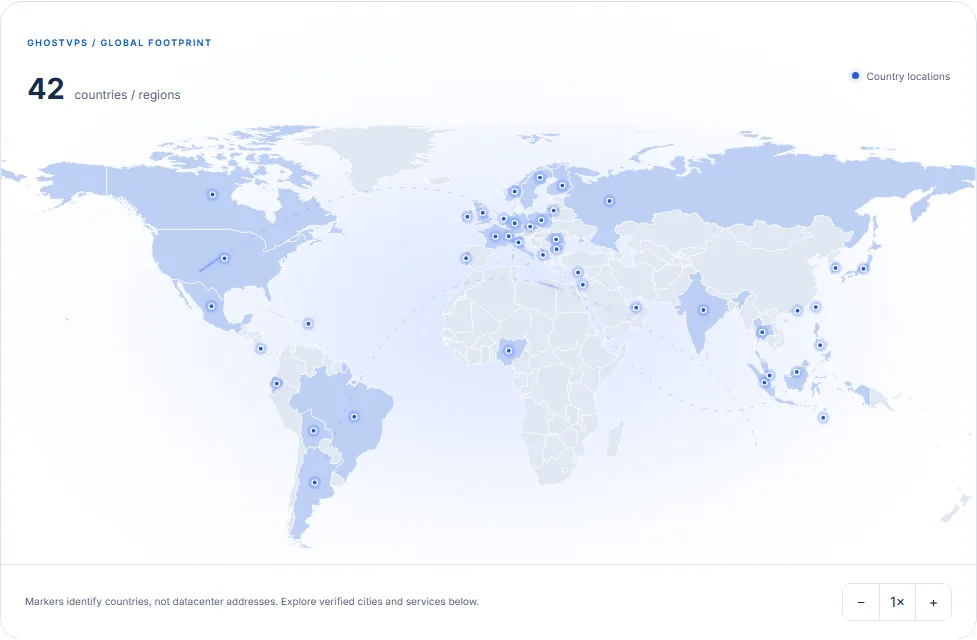
The closest country on a map may not give the best route from every network. Identify the users or services that connect most often, shortlist suitable countries, and test latency, route and throughput from a relevant network when a verified test endpoint is available. Check legal or data-residency requirements separately. A country marker is a discovery aid, not a datacenter street address or a latency promise.
5. Compare the exact configuration and total cost
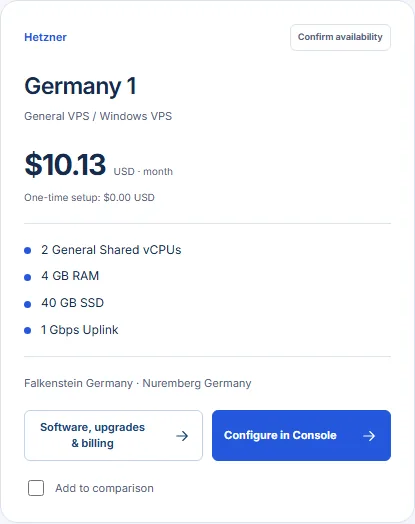
A plan card is a starting point. Compare the operating-system and application choices, location, memory, storage, traffic terms, billing period and any one-time setup fee. The final amount can change when you change those choices. On some dedicated plans, the card price includes a default RAM or storage option and is higher than the bare service cycle shown in its details.
On the Cloud VPS page, use filters to create a manageable shortlist, open each card’s software and billing details, then compare candidates side by side. Plan availability and current prices can change; the final configuration and amount are shown in Console before you submit an order.
A short decision checklist
- Workload: What software runs, and what are its observed peaks?
- CPU: Is the listed allocation suitable for the application, and can you test it?
- RAM: Does the measured working set fit with room for growth?
- Storage: Is there enough space, and have you planned a separate backup?
- Location: Does the exact city serve your users and requirements?
- Cost: Did you check the selected billing period, options, setup fee and final Console total?
If the workload is Linux-compatible and you need a quick first check, review the conditions of the 30-minute free VPS trial. It can help you test a workflow, but a short trial cannot establish long-term performance or availability. When you are ready, return to the server finder and compare the actual plans.